


Almost nine in 10 UK home workers reportedly avoid turning up the heating to save money, but cold rooms can make working uncomfortable and affect concentration, posture and productivity. From tackling draughts to improving your desk setup, here’s how to stay healthier while working from home this winter.
Pics: Getty Images
Temperatures have dropped outside and now suddenly working from home feels like the ultimate winter luxury. Except, with more remote workers unwilling to pay higher energy bills, they’re risking their health while working their 9-5.
New research from David Wilson Homes has revealed that 86% of UK home workers, or 9 out of 10 homes, avoid turning on or increasing their heating to save money – but working in the cold could be affecting their health.
63% have experienced cold hands or feet while working from home
41% have suffered from back, neck or shoulder pain
41% have experienced dry or tired eyes during winter
32% have experienced headaches, while 31% have struggled to concentrate
Chartered ergonomist and founder of Morgan Maxwell, Stephen Bowden, warns that cold working conditions can affect more than just comfort, with cold fingers potentially reducing fine motor control, leading to typing mistakes, tighter mouse grips and raised shoulders.
He recommends keeping home offices at a minimum of 18°C, ideally between 19–21°C for seated desk work.
He said: ‘For seated desk work, I would normally aim for around 19 to 21°C. Public health guidance for homes commonly recommends at least 18°C, so I would regard that as a practical minimum for a home office.’
Stephen warns that cold working conditions can also contribute to health issues that may be mistaken for problems with a chair or desk.
‘Fine motor control can reduce when the fingers become cold, even before someone feels cold overall. People may begin making more typing errors, gripping the mouse more tightly or raising their shoulders, which could then be mistaken for a chair or desk problem.
‘If your hands are regularly cold while working, the room or immediate workstation may not be warm enough for comfortable desk work, regardless of what the thermostat says.’
Key places to check for draughts
Head of innovation, Oliver Novakovic, advises checking common problem areas, including letterboxes, unused chimneys, doors, window frames and loft hatches. He also recommends a smoke pencil draught detector, which can help identify where air is leaking and typically costs under £50.
He said: ‘Try to locate draughty areas around your home so that you can fix them before the freezing temperatures set in.
‘Many older homes with hardwood front doors will experience worse draughts in the winter as they are susceptible to expanding in heat and contracting in the cold, meaning gaps around the frame will become even wider. To combat this, invest in a draught exclusion runner to go along the bottom of your door. You can also purchase lengths of gap sealer to run around the frame, preventing cold air from blowing in around the door frame.’
‘If you already have UPVC windows with draught excluders, it’s good to check these for wear and tear to ensure they are still working well.’
How home working can impact sleep during winter
Temperature is not the only consideration during winter. As 15% of those surveyed said they have struggled to fall asleep despite feeling tired, Stephen explains how reduced daylight and artificial lighting can affect sleep.
‘Our body clock is strongly influenced by daylight, and during winter, many home workers get very little of it. They may start work in the dark, spend most of the day indoors looking at a screen, and then finish work in the dark.
‘Screens and overhead lights can contain enough blue-rich light to signal to the brain that it is still daytime. This can be useful in the morning, but it is less helpful later in the day, when it may delay the normal release of melatonin. Poorer sleep can be one of the hidden contributors to the winter slump many people experience.’
Three common winter working-from-home mistakes to avoid
People often make the same trio of working from home mistakes during darker, colder conditions.
1. Positioning the desk directly in front of or behind a window
Ideally, place the desk so that the window is to the side rather than directly behind or in front of the screen. A window behind the worker can cause reflections, while a bright window behind the screen can force the eyes to keep adjusting between the screen and the background.
2. Using a bright screen in a dark room
A common winter mistake is working with a bright monitor in a dim room, which makes the screen the brightest object in view and can contribute to eye strain and headaches. During the working day, it is usually better to improve the room lighting than to keep increasing screen brightness.
3. Forgetting to move
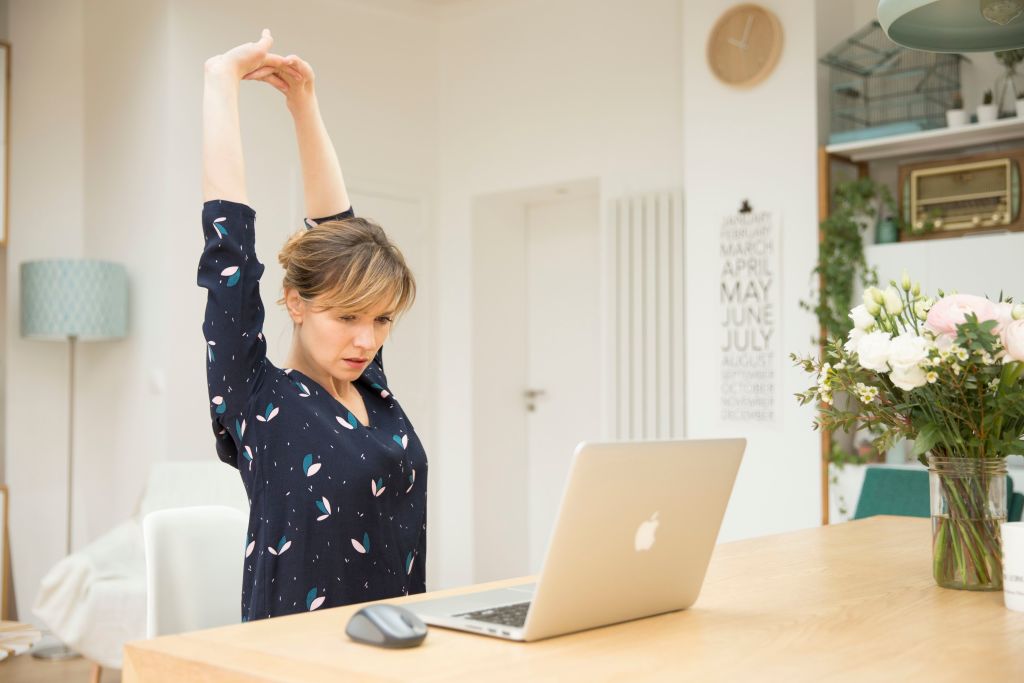
People often make one room warm, shut the door, and then sit there for hours without moving. Stand up every 30 to 45 minutes, take a few steps, stretch briefly or move while taking a call. The aim is not formal exercise; it is to break up long periods of sitting.
Five low-cost ways to improve your home-working setup this winter
Creating a comfortable setup can be more challenging for those without a dedicated workspace. Only 37% of those surveyed usually work from a home office or study, while 36% use a desk in a shared space and 29% work at a kitchen or dining table.
Almost one in four (24%) sometimes work from the sofa, while one in ten (10%) work from bed.
- Make sure your chair allows your feet to rest comfortably on the floor or use a footrest if needed.
- Position the keyboard and mouse so the elbows can remain close to the body rather than reaching forwards.
- Avoid placing the screen to one side, which encourages repeated or sustained neck rotation.
- Position the workstation to minimise glare from windows and use task lighting rather than working in a poorly lit room.
- Where possible, dedicate a proper desk or work surface rather than working for long periods from a sofa, bed or kitchen table.